In this chapter, we will study about Adding Forum in Joomla. We can install the forum extension in Joomla to share or discuss ideas and views on particular issues.
Joomla Adding Forum
Following are the simple steps used to set the Joomla Adding Forum.
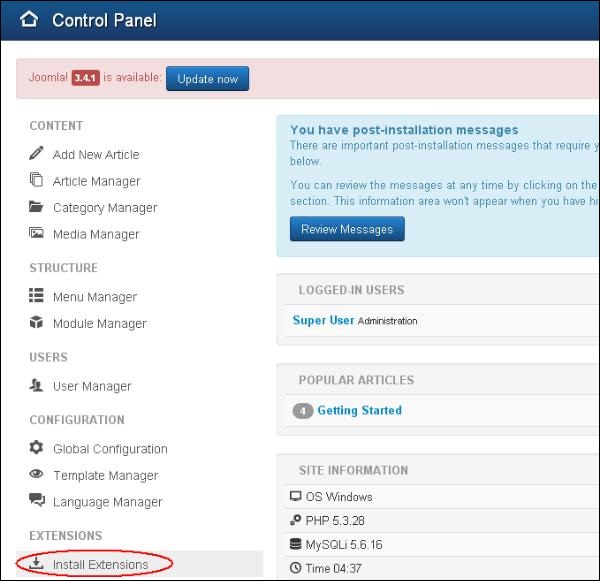
Step 1 − Click on Install Extensions option in Joomla.
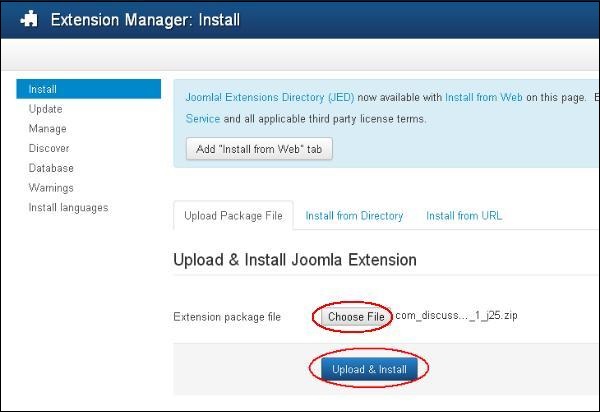
Step 2 − Click on Choose File button and choose the extensions forum you have downloaded to include in your web site. After choosing the file, click on Upload & Install button.
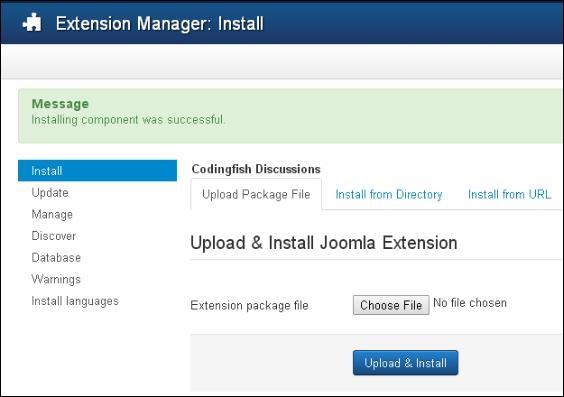
Step 3 − Joomla starts installing the Forum extension for your site. After the installation is complete, you get the screen below showing the success message.
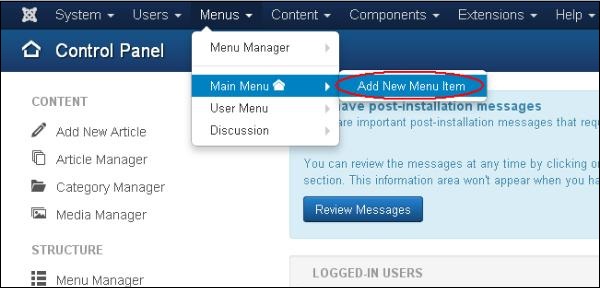
Step 4 − Click on Menus → Main Menu → Add New Menu Item option in Joomla.
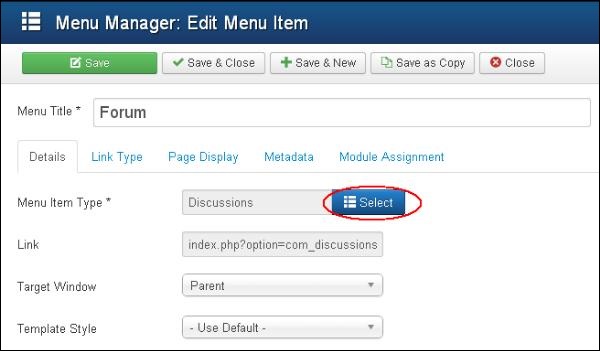
Step 5 − In Add New Menu Item page, specify title in the Menu Title. Click on the Select button to choose the Forum extension for your website.
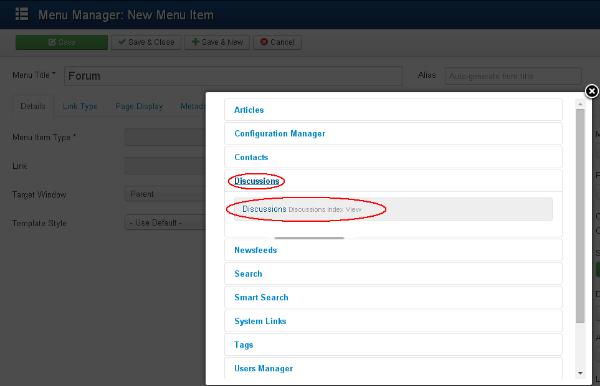
Step 6 − Click on the Discussion and choose the Discussion discussion index views.
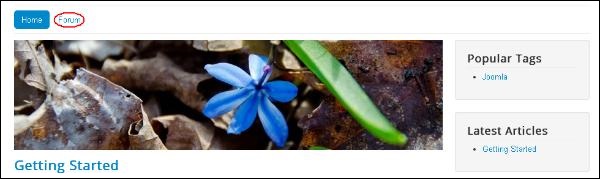
Step 7 − Open your website which contains the Forum menu as shown in the screen below.
Toolbar
Given below are few details about the toolbars present in Forum.
-
Save − Saves your forums.
-
Save & Close − Saves the forums and closes the current screen.
-
Save & New − Saves the forums and opens a new create forum screen.
-
Cancel − Cancels the created forums in Joomla.
The End! should you have any inquiries, we encourage you to reach out to the Vercaa Support Center without hesitation.
