Optimizing URLs with Drupal's URL Alias Feature

thumb_up 1  ·  sell Drupal URL alias, Custom URL paths in Drupal, SEO-friendly URLs in Drupal

In this chapter, we will study about Drupal URL Alias. URL or Uniform Resource Locater Aliases is a page address on your web page, it changes the existing system path to new path alias.

Following are the simple steps to create URL Aliases in Drupal.

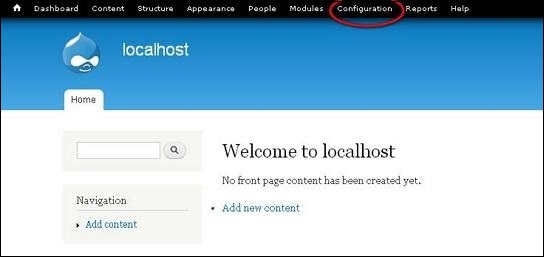
Step 1 − Click Configuration as shown in the following screen.
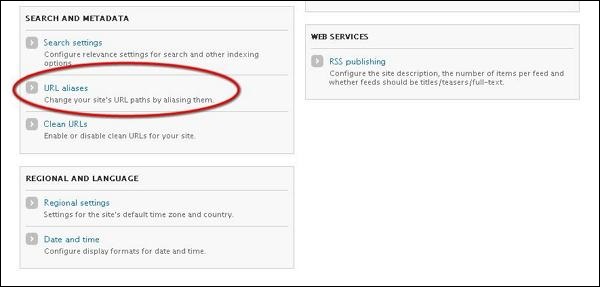
Step 2 − Click on URL aliases.
Step 3 − Then, click Add alias.
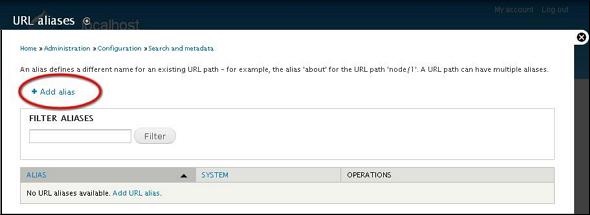
Step 4 − The Url aliases page will get displayed as shown in the following screen.
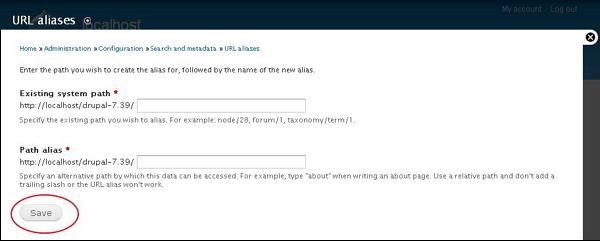
Following are the details about the fields present in URL aliases page.

  • Language − Specifies the language to be used in URL aliases.

  • Existing system path − Existing system path of an Article/Page in Drupal site.

  • Path alias − New path alias that replaces with the existing system path of an Article/Page.

Click the Save button.

Step 5 − You can view your created URL aliases in the list as shown in the following screen.
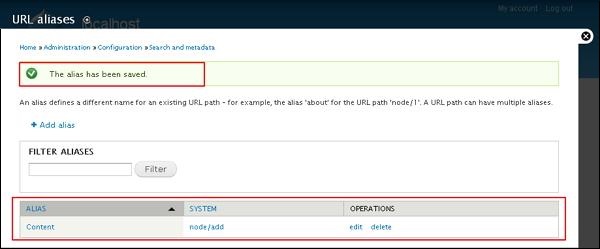
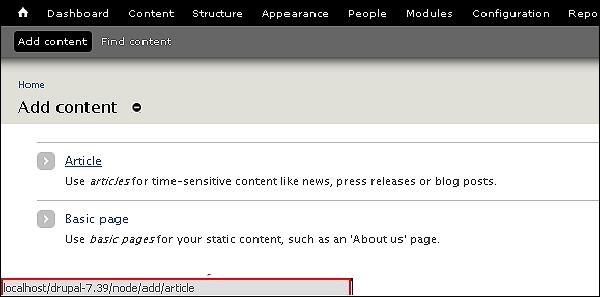
Step 6 − When you go back to Drupal Admin panel and hover over Article, it will display the newly added Path alias at the left bottom of the screen as shown in the following screen.
The End! should you have any inquiries, we encourage you to reach out to the Vercaa Support Center without hesitation.

Was this answer helpful?

Related Articles

description

An Introduction to Drupal

    Drupal is a free and open source Content Management System (CMS) that allows organizing, managing and publishing your content. It is…

arrow_forward
description

Installing Drupal: A Comprehensive Guide

    This chapter provides step-by-step procedure for Drupal installation. Before installing Drupal, the following system requirements are…

arrow_forward
description

Understanding the Drupal Architecture

  Drupal is a platform for web content management which is a powerful tool for building simple and complex sites. In this chapter, we are…

arrow_forward
description

Exploring Drupal's Main Menu Functionality

    In this chapter, we will study how to Create Menus in Drupal. Menus are very important to easily navigate in your website. Menus…

arrow_forward
description

Mastering Drupal's Blocks and Regions

  In this chapter, we will study about Drupal Blocks & Regions. Blocks are container objects that are used to organize your content of…

arrow_forward
arrow_back « Back