In this chapter, we will learn about Announcements in Drupal.
If you want to make any announcements on your website then you can do it through this feature. Declaration given to a visitor or user with the help of your website is announcements. It can be some important news, report, etc. It can be useful if you want to declare something important through your site that can be helpful for your visitors.
Following are the steps to create Announcements in Drupal.
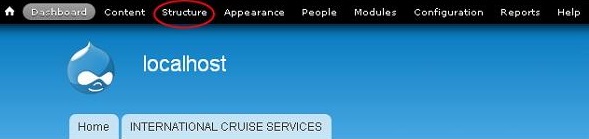
Step 1 − First click Structure.
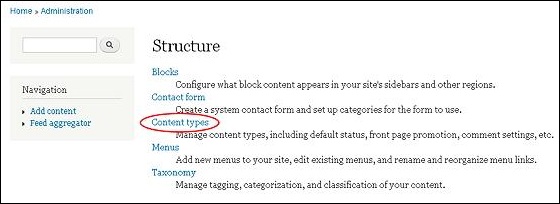
Step 2 − Click on Content Types.
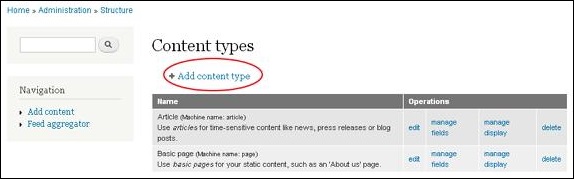
Step 3 − Then you must click Add Content type.
Step 4 − When you click Add content, the following page will get displayed on screen.
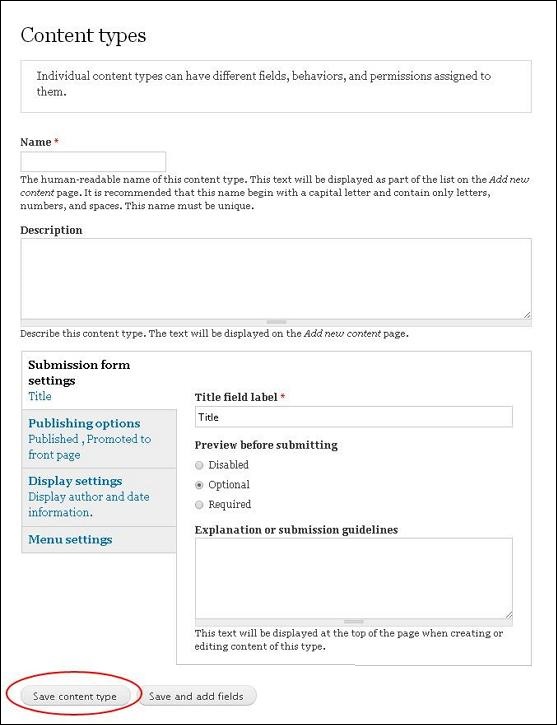
Step 5 − Enter the content that you want to announce in the Name section. After adding name, click Save content type.
Your new content gets displayed as shown in the following screen.
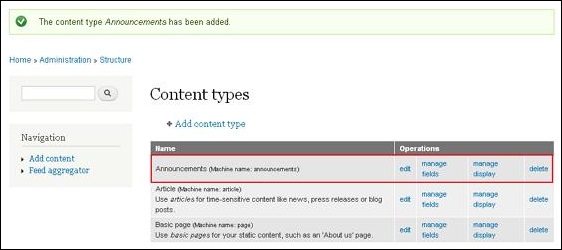
Step 6 − If you want to make changes you must click the Edit section, you will get the following page.
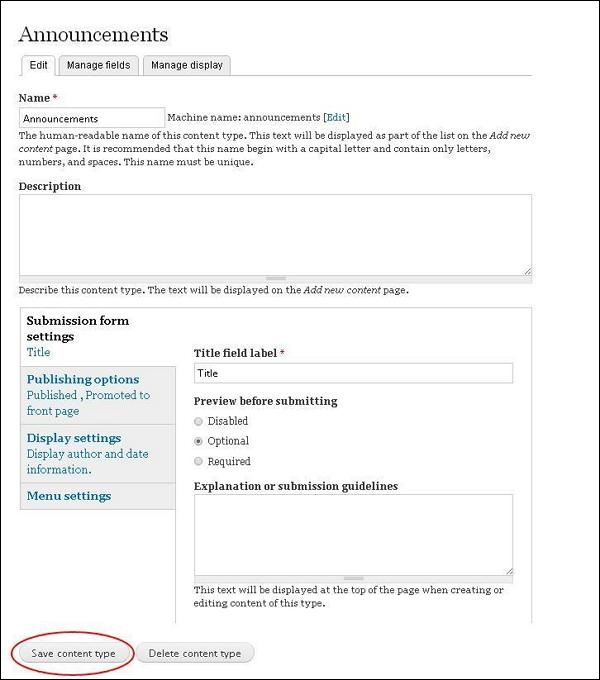
Step 7 − You can make the required changes, such as adding description and then click Save Content type. If you want to delete, then click Delete Content type.
You can manage the fields by clicking on Manage Fields and manage display by clicking on Manage Display.
The End! should you have any inquiries, we encourage you to reach out to the Vercaa Support Center without hesitation.
