URL is one of the major factor considered by search engines for ranking your website. That is why many of the bloggers use different tactics to manage their blog URL and increase the ranking of website and provide better user experience as well. WordPress also provides its user with feature of Permalink to manage website URL. In Permalink, there’s a section of Category Base prefix that can be used o modify the URL and thus ranking of website as well.
Today, in this tutorial we will go through the detailed procedure to change Category base prefix in WordPress.
We will discuss about following points.
#1. What is Category Base Prefix?
Categories feature in WordPress allows you to organize the contents of your website by creating a suitable category that matches to your post. This feature helps search engines to find your contents and index them as defined.
Thus, categories in WordPress behaves as a base prefix to URLs for category pages. So, it is important to add category base prefix in WordPress. Let’s see how?
#2. How to Change Category Base Prefix in WordPress?
Well, you can do this from your WordPress dashboard itself by following the below mentioned procedureLogin to your WordPress dashboard.
- gin to your WordPress dashboard.
- From the left panel, click over Settings and then Permalink.
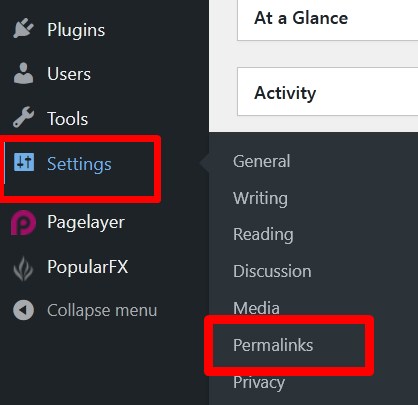
- You will be directed to the Permalink settings page. Here, scroll down to Optional section.
- You will see two sections: Category base and Tag base. In the category base section, enter the prefix which you want to use in URL. If you want then you can change the tag base prefix as well.
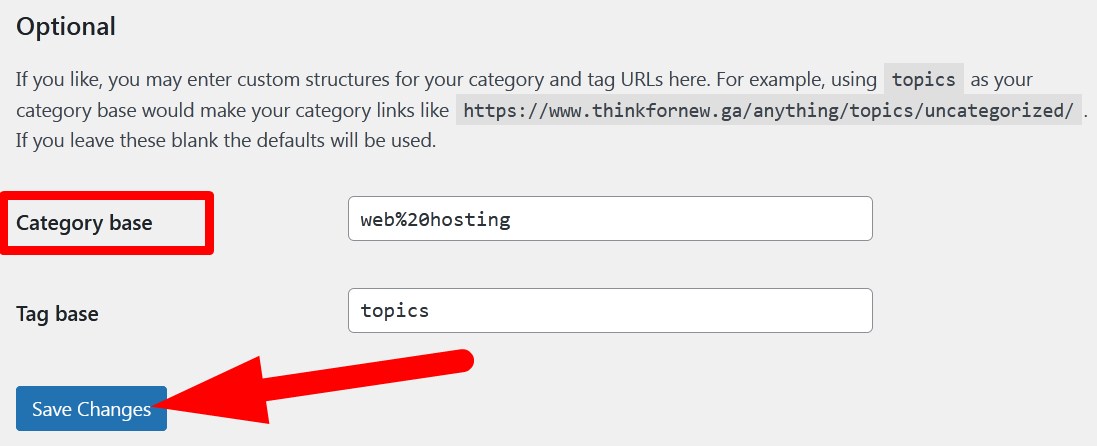
- Click over Save Changes to save the changes.
#3. How to Set Up Redirection After Changing Category Base prefix?
Changing category base prefix is a good idea as it increases the chances of your website to be indexed easily by search engines and in SEO ranking in SERP as well. You can easily add category base prefix in a new WordPress website but if you are performing these changes in an existing website then visitors may face errors.
Thus, to give users a better experience and maintain ranking in search engines, you can simply set up redirection after changing category base prefix in WordPress by following the below mentioned steps.
- Login to WordPress dashboard and click over Posts.
- Select Categories from the list and proceed.
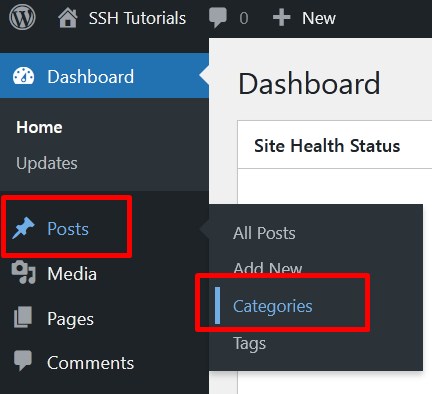
- On the next page, list of all your categories will appear. You know that while creating a new category you have to add slug which can be changed if required.
- Thus, you have to change the slug of all your categories one by one. For this, select any category and click over Edit.
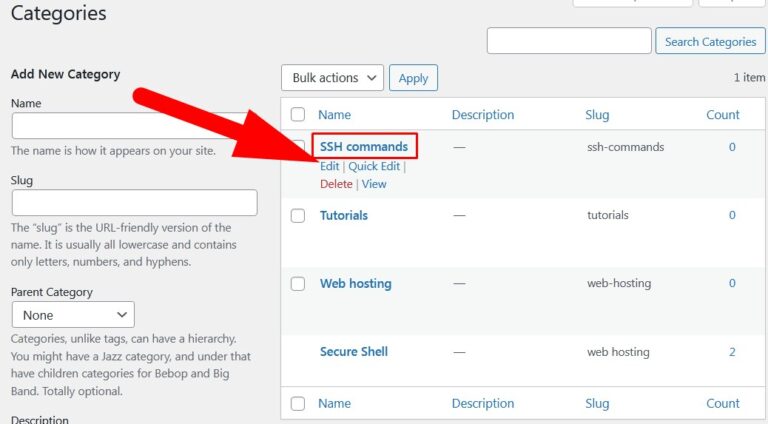
- You will be directed to Edit Category page.Now, use the same keyword in Slug section which you have set in Category base in Permalinks section. Refer to below given image.
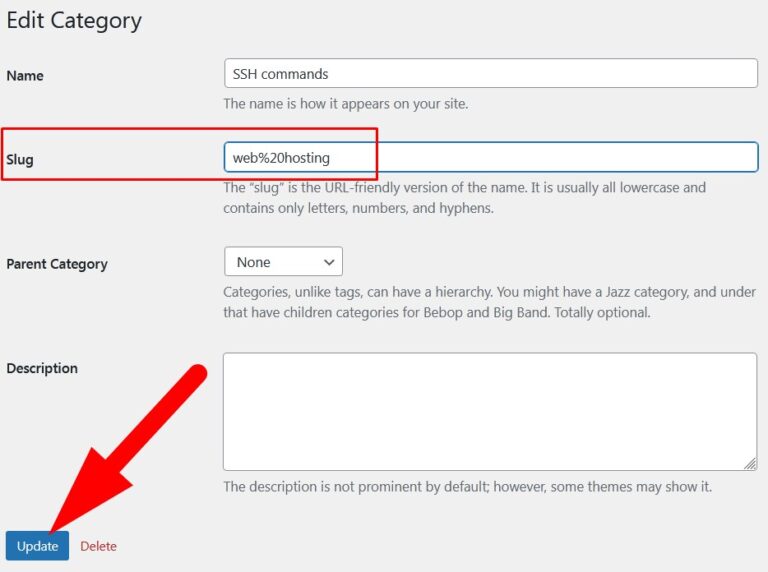
- Click over Update to save the changes.
You can also use Plugins like All in One SEO to manage redirection of the URLs. But to use these plugins you have to continue with its Pro Service.
Thus, by following the above explained procedure you can change the category base prefix in WordPress.
The End! should you have any inquiries, we encourage you to reach out to the Vercaa Support Center without hesitation.
