In this chapter, we will study about Drupal Blocks & Regions. Blocks are container objects that are used to organize your content of your website. It can be displayed in the regions on your page.
Following are the simple steps for creating Drupal Blocks.
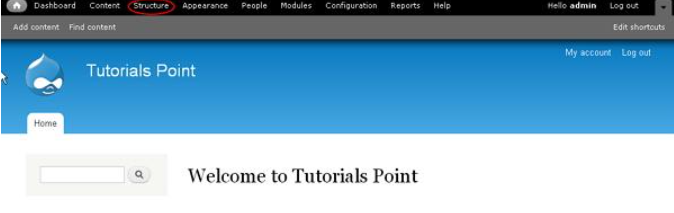
Step 1 − Click Structure in Drupal as shown in the following screen.
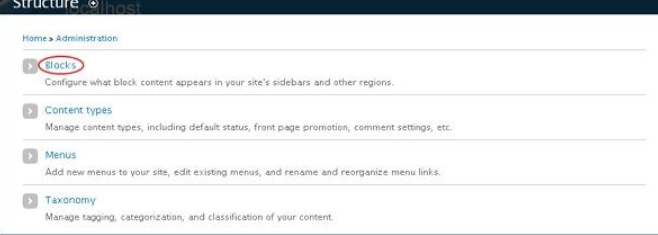
Step 2 − Then, click Blocks.
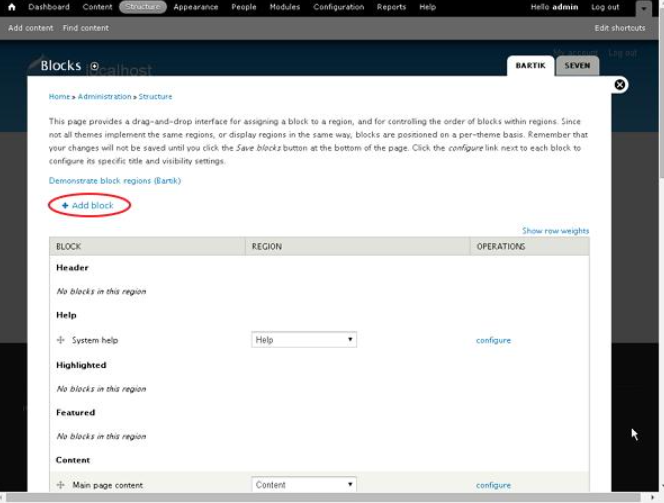
Step 3 − Blocks page gets displayed. Click Add block.
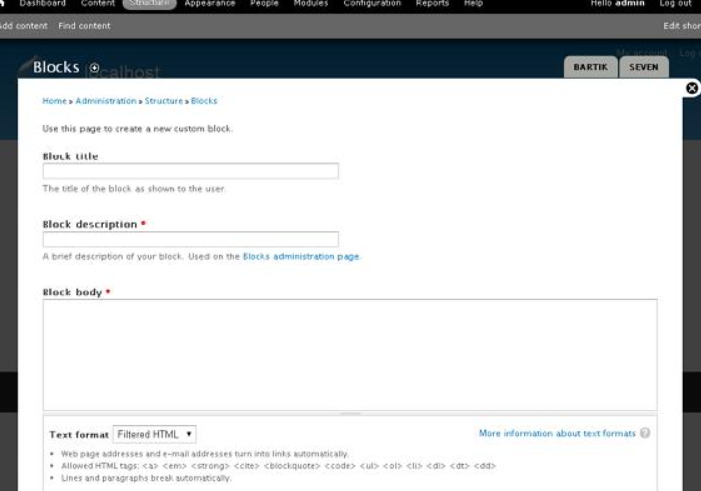
Step 4 − A block page will gets displayed to create a new custom block as shown in the following screen.
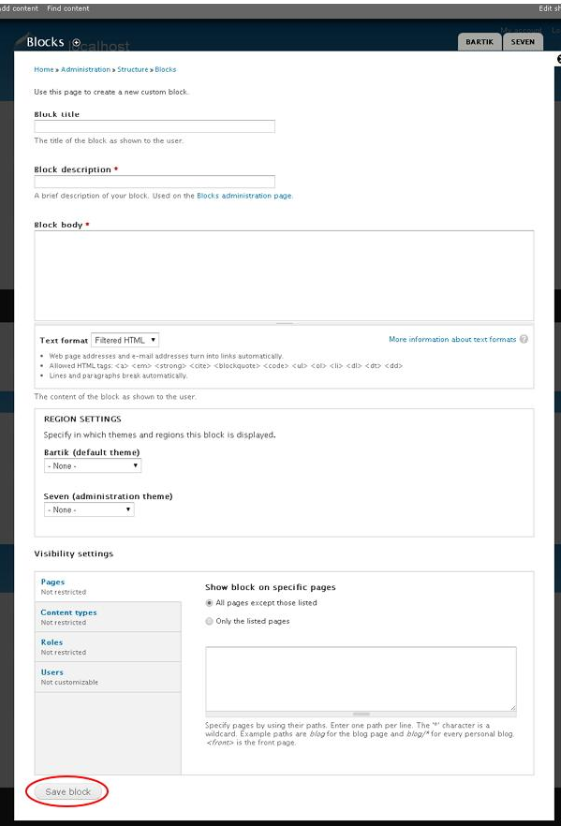
The following fields appear on the Blocks page.
-
Block Settings
-
Block title − Enter the title for your block.
-
Block description − Enter the description about block.
-
Block body − Enter the content of the block.
-
Text format − Select the format for your text i.e. Filtered HTML, Full HTML, and Plain text.
-
-
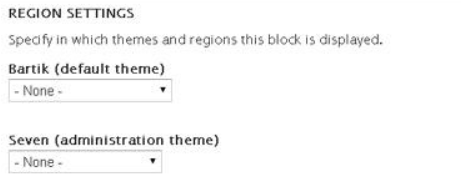
Region Settings
-
Bartik (default theme) − Select the region to display block in the theme.
-
Seven (administration theme) − Select the region to display block in the administration theme.
-
-
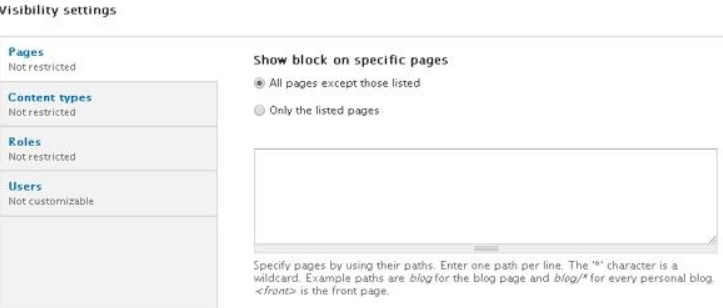
Visibility Setting
-
Page − Allows displaying blocks on all or specific pages.
-
Content Types − Allows to display the blocks in specific content, i.e. Article or Basic Page.
-
Roles − Allows displaying the blocks for specific types of users, i.e. anonymous user, authenticated user, or administrator user.
-
Users − Allows each user to customize the visibility of block in their settings.
-
Now, click the Save block after filling all the fields.
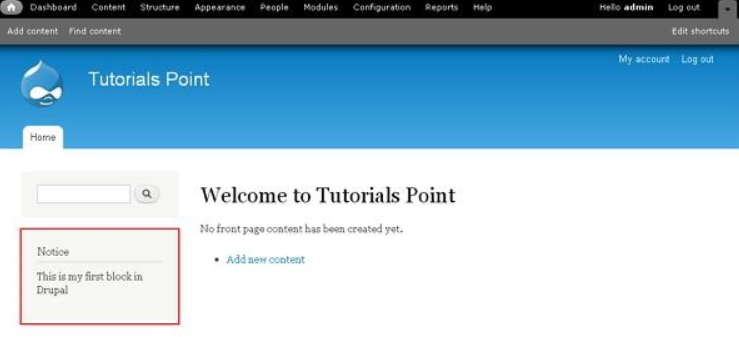
Step 5 − You can view the created block as shown in the following screen.
The End! should you have any inquiries, we encourage you to reach out to the Vercaa Support Center without hesitation.
