How to easily embed Google forms in WordPress? [STEP BY STEP]☑️
Today in this tutorial I will demonstrate how to embed Google Forms in WordPress. If you want to embed Google forms in your WordPress website, then simply go ahead with this tutorial.
Follow the steps to easily embed Google Forms in your WordPress website:
Step::1 To start this process open your web browser and go to the Google Forms page.
Step::2 Click on the “Go to Google Forms” button to continue.

Step::3 Now select the Google Form type
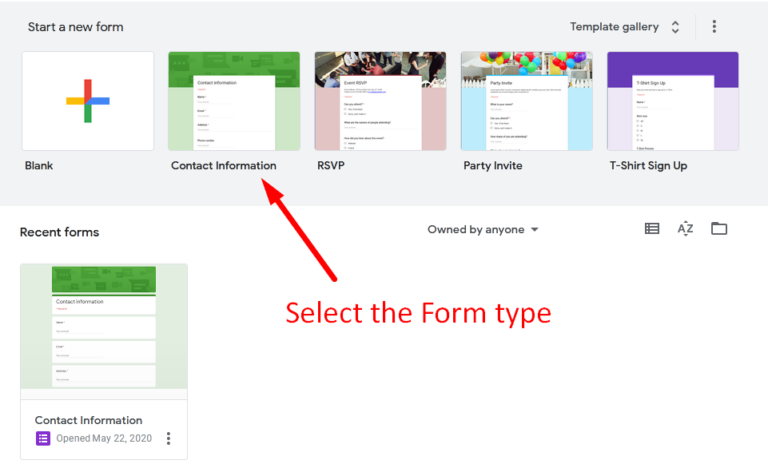
Step::4 Next customize the form type as per your requirements
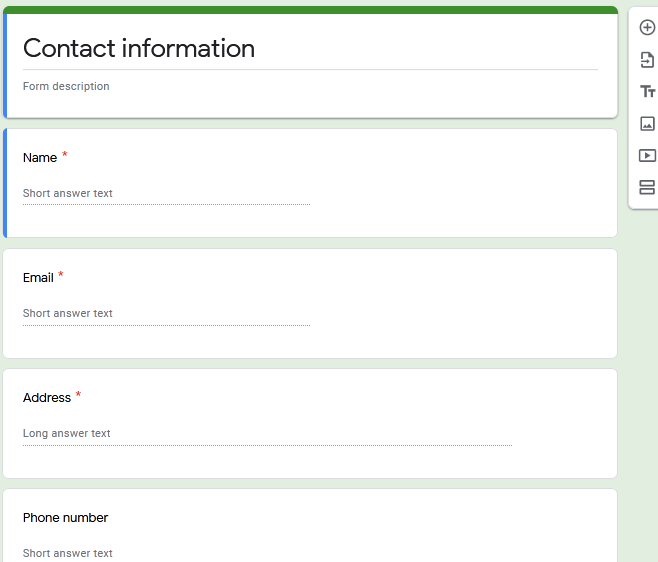
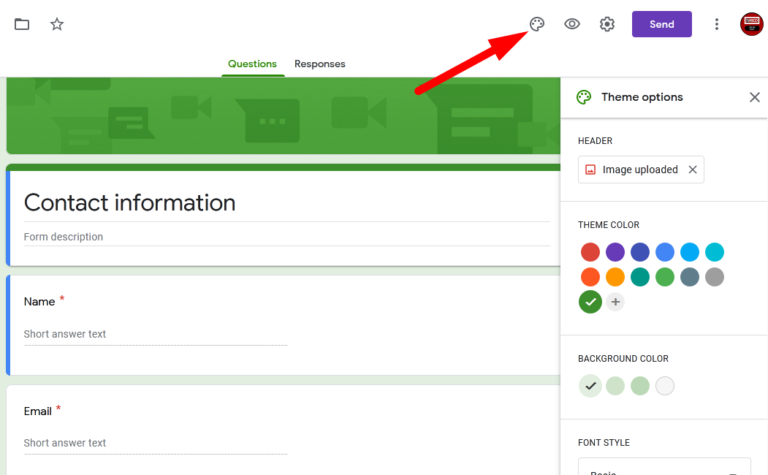
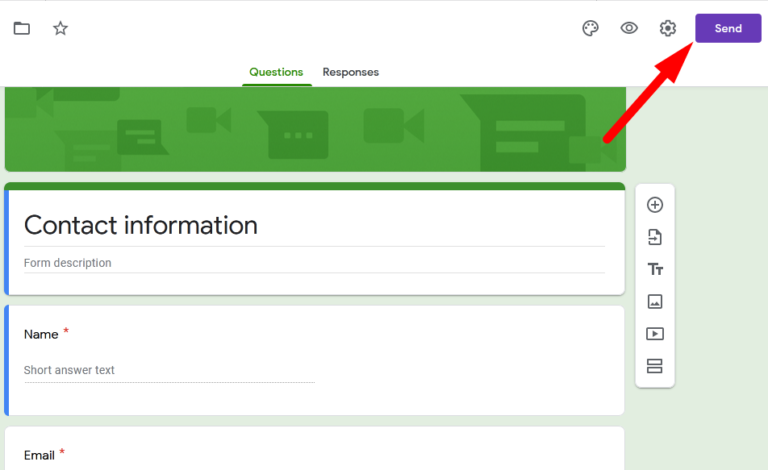
Step::5 You can customize the colour from the top right corner, questions you would like to ask.
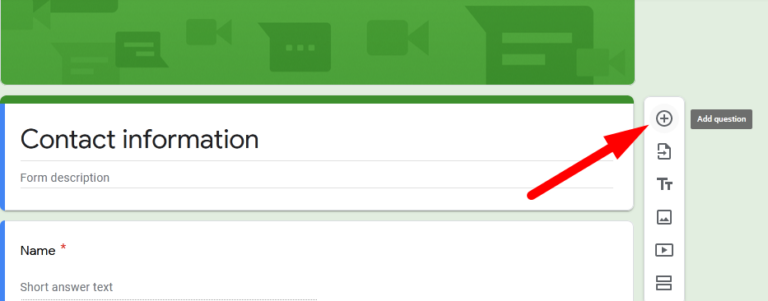
You can ask as many questions you would like to ask from your visitors by clicking over the + icon. Complete the form with all the other details.
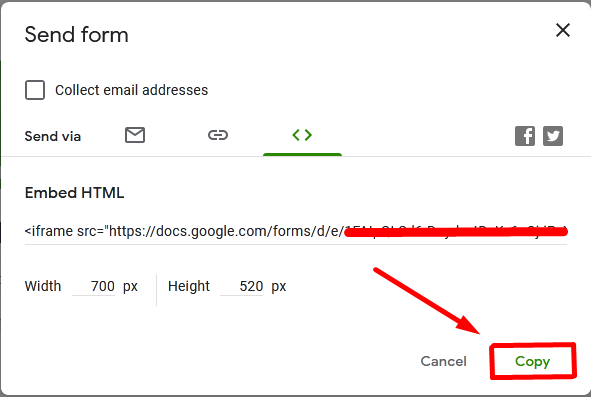
Step::6 Once you are done with all the changes in the form, then you can simply click over Send button and generate the embedded HTML code and then copy it.
Step::7 Now login to your WordPress dashboard
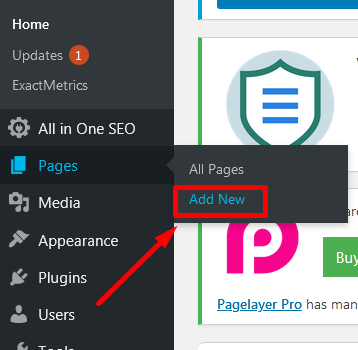
Step::8 Go to the Pages section and click on Add New
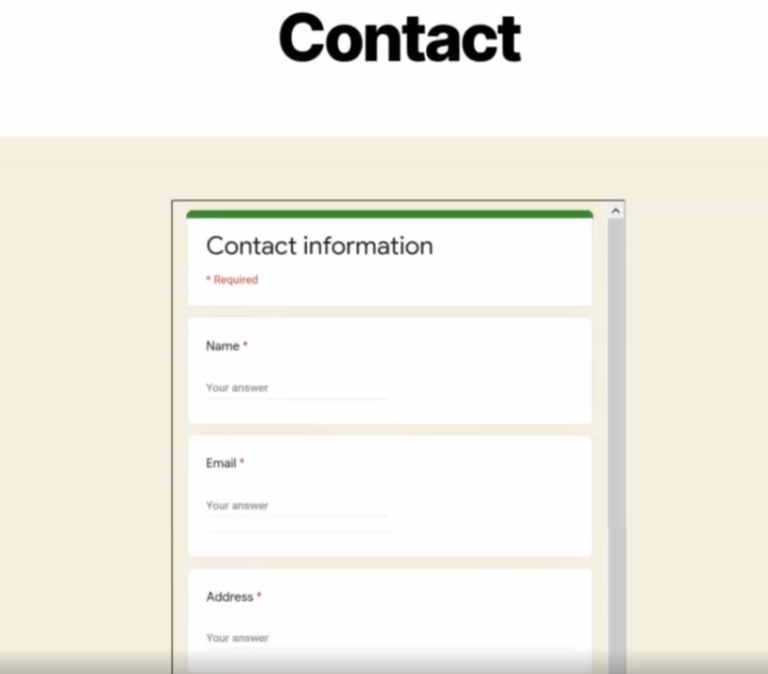
Step::9 For demonstration purpose we are going to add this code to a new page like “Contact”
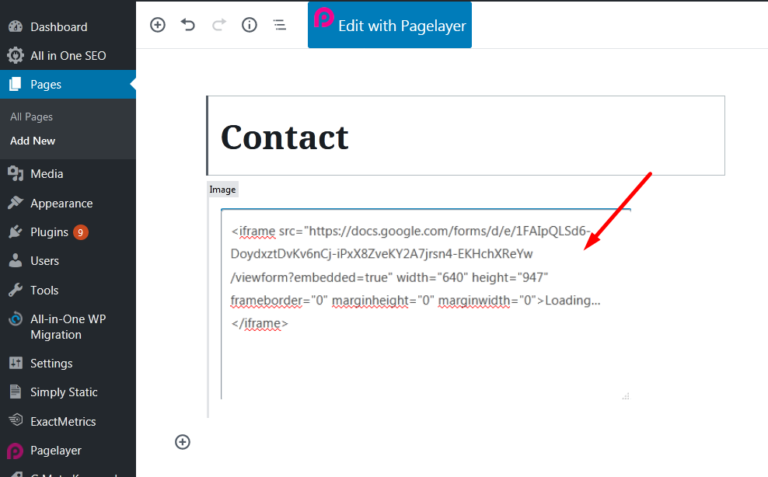
Step::10 Finally under the Body section you can paste the HTML code and click over Publish button.

Now if you want to view this form via front-end, you can open your WordPress website in your browser and check the complete form powered by google.
Thanks for Reading this article
The End! should you have any inquiries, we encourage you to reach out to the Vercaa Support Center without hesitation.
