"Disabling WordPress Theme and Plugin Editors: A Step-by-Step Guide

thumb_up 1  ·  sell WordPress theme editor disable, Deactivate plugin editor in WordPress, Securing WordPress from theme and plugin editing

How to Disable the WordPress Editors for Themes and Plugins? [STEP BY STEP]☑️

Today in this tutorial we will learn How to disable the WordPress editors for Themes and Plugins.


Follow the steps to disable the WordPress editors for Themes and Plugin  via cPanel:

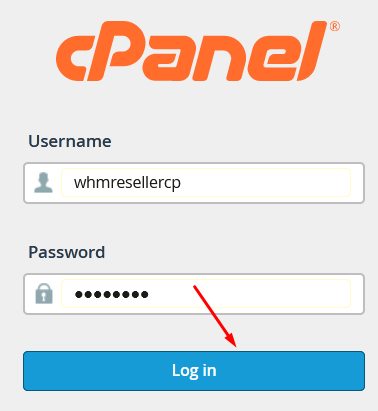
Step::1 Login to your cPanel
 

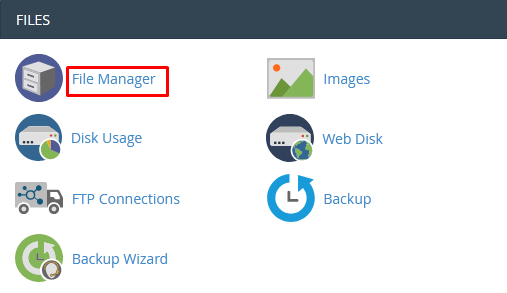
Step::2 Open the File Manager section under Files category
 

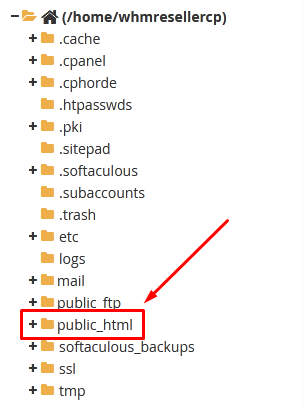
Step::3 Now go to public_html and then find your WordPress installation directory
 

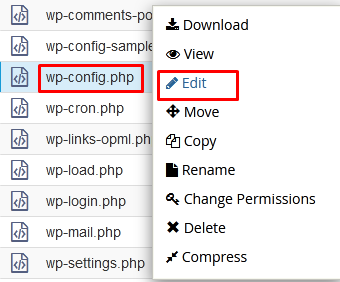
Step::4 Look for wp-config.php file and right click over the file and choose the Edit option
 

Step::5 Add the following code under define (‘WP_DEBUG’, false’); line


Step::6 Once you’re done with the changes, click over Save Changes
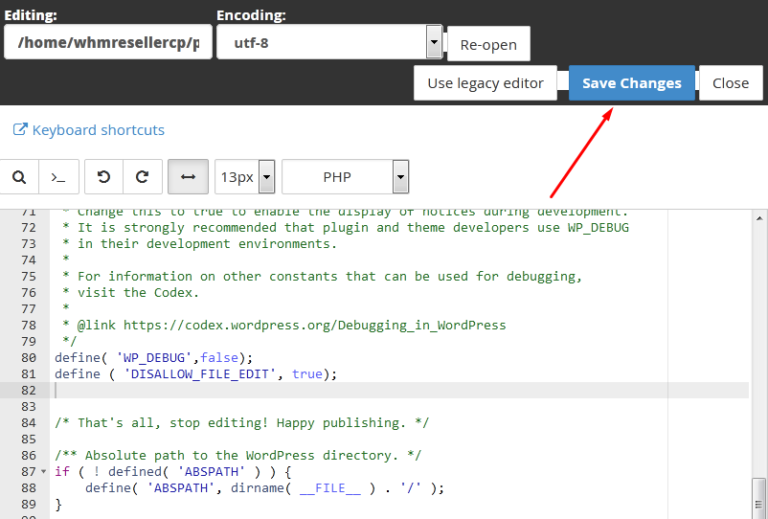
Congratulations, you have successfully disabled the WordPress editor for Themes and Plugin.

Thanks for Reading this article 


The End! should you have any inquiries, we encourage you to reach out to the Vercaa Support Center without hesitation.



Was this answer helpful?

Related Articles

description

How to Resolve the Issue of "Missing Add New Plugin Menu" in WordPress?

Here, in this tutorial we will discuss the procedure to fix an issue called “add new Plugin Menu not showing” in WordPress. This issue…

arrow_forward
description

How to Incorporate a YouTube Subscribe Button into Your WordPress Website?

Here, in this tutorial we will discuss the procedure to add YouTube subscribe button to your WordPress website. This can be done by any of…

arrow_forward
description

How to Deactivate WordPress Plugins Using the Database?

We have shared articles managing WordPress website and its data. One of the most important feature of WordPress is Plugins that allows user…

arrow_forward
description

How to Integrate a Currency Converter into Your WordPress Website?

The diverse features of WordPress allows user to manage the website presentation in their own choice. WordPress has themes for blogging…

arrow_forward
description

Guidelines for Installing and Setting Up the WordPress Simple PayPal Shopping Cart Plugin

Features in WordPress allows user to improve and manage the presentation of website. We have shared multiple articles related to WordPress…

arrow_forward
arrow_back « Back